
When there is a new employee, you need to add them to the Workways app.
Note: Only your company administrator can do this.
Please proceed as follows:
Log in at app.workways.com.
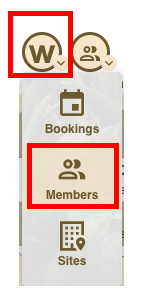
Click the W menu and select Members.
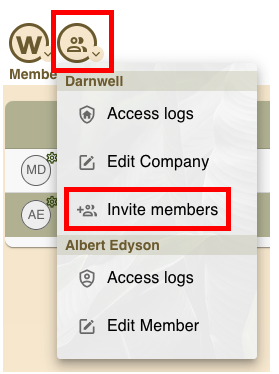
Under Members, open the action menu and click Invite members.
Enter the email(s) of the person or people you want to invite.
→ Adding several members at once by copying and pasting a list of multiple email addresses allows you to quickly add many users without entering each email individually.
Choose to invite them as a Regular member or a Guest (Day pass).
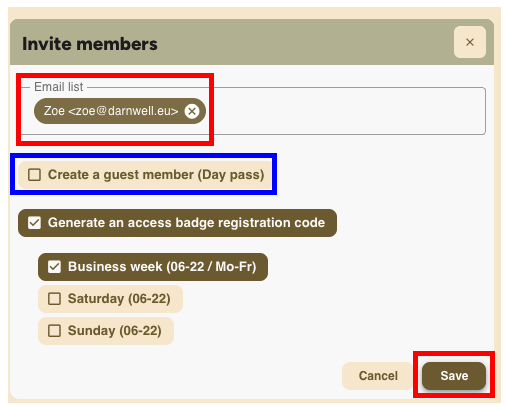
Select Generate an access badge registration code if they need to receive the PIN code to activate their access card.
Set their access days:
– Business week (Mon–Fri, 6am–10pm)
– Add Saturday and/or Sunday if needed.
Click Save.
Important: Once a new employee/member has been added to the Workways app, and they require access to the building/office, they will need to register their access card. The guide for this can be found here.