How do I access the building? #
Use your usual access method or the PIN (Meeting PIN) provided in your booking confirmation email, then press the Confirm button.
You need to have a meeting room booked on that day for the meeting PIN to work.
How do I access the meeting room? #
Use the same PIN from your booking confirmation email and the hash key (#).
Where can I find the PIN? #
The PIN is in your your booking confirmation email.
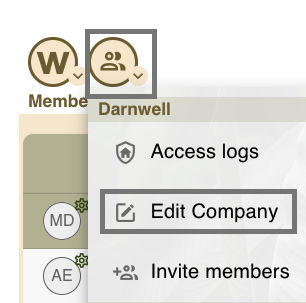
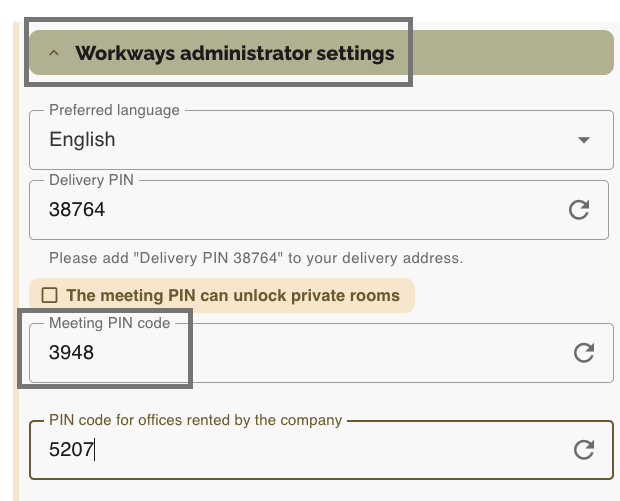
You can also find it in your Workways app under the action menu by clicking on Edit Company or View Company (if you do not have the role of company administrator).
Then, scroll down to Workways administrator settings and the Meeting PIN code.