If you are experiencing issues logging into the Workways app (for example, if you cannot view any bookings or invoices), please reset the app using the following link:
https://app.workways.com/reset
Please log back in and check again. This process clears the cache and usually resolves display issues.
Please note that to view invoices, you must be a company administrator or be authorised by your company administrator.
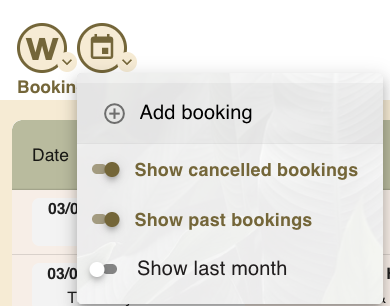
To view bookings, please make sure you select the appropriate filters. If you are looking for past or cancelled bookings, please choose the relevant filters. If no filters are selected, only ongoing or upcoming meetings will be displayed.