You can view all information related to your shop orders directly in your office details in the Workways app.
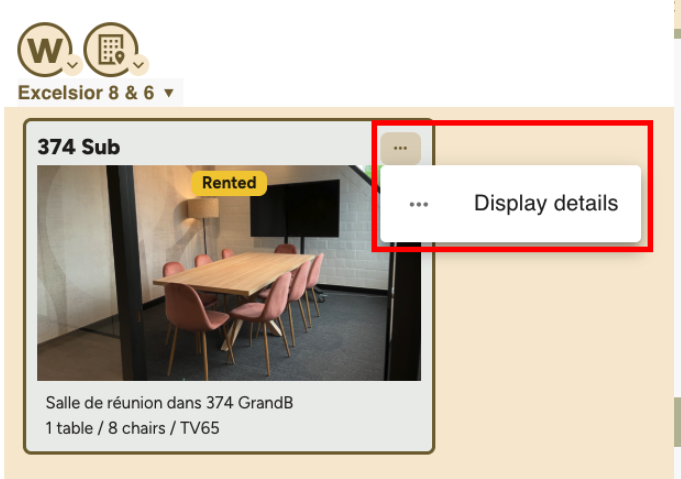
To do so, go to: https://app.workways.com/site/display
Then, click on your office.
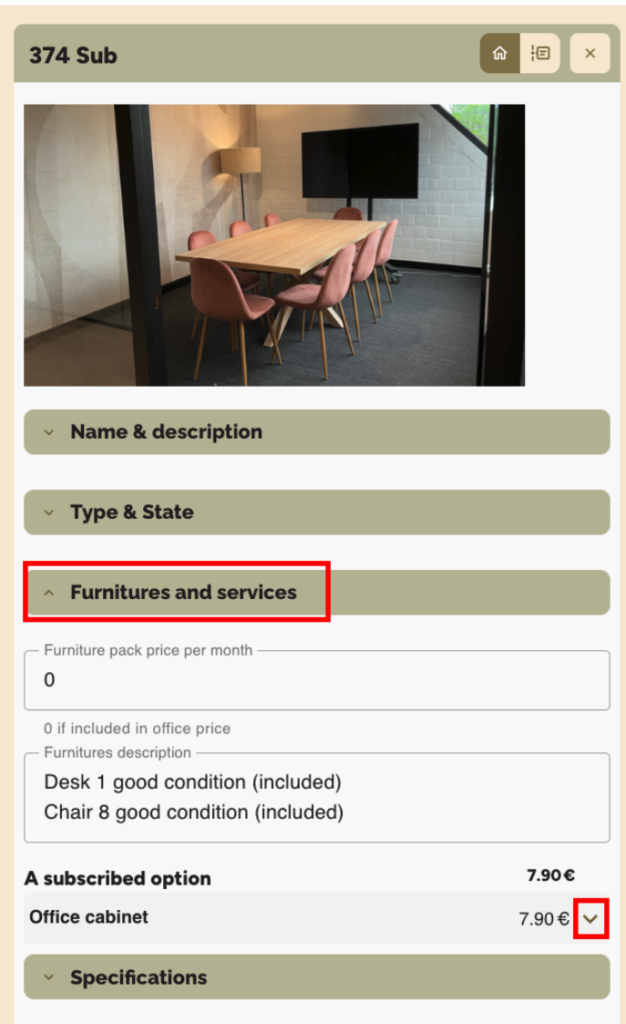
Please refer to the Furnitures and services section, where you can view all information related to the setup of your office, including:
- the furniture and equipment included in the office (e.g. desks, chairs)
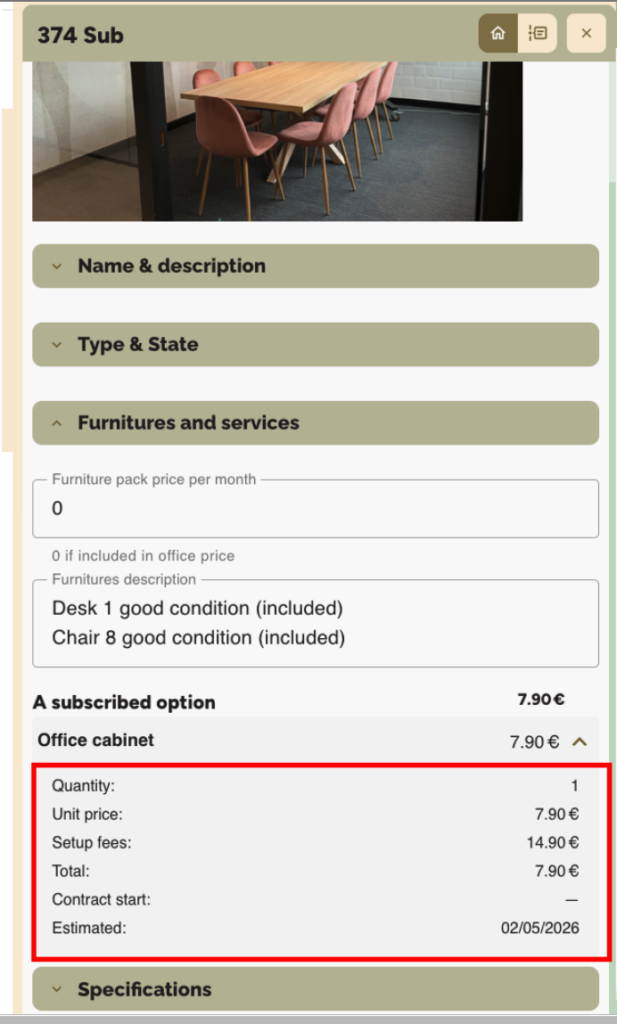
- additional items and options ordered via the shop, including their details (description, quantity, price)
- the status of items (in stock, ordered, completed, to be invoiced, etc.)
- associated billing information (prices, setup fees, total)
- tracking dates and information (contract start date, estimated delivery)
This section therefore allows you to track all office equipment, as well as their status and billing, in one place.
Example: